Folio — EditionSakina Saifuddin© 2026
SS
Project Books
05 · POWER APPS · SHAREPOINT · WORKFLOW AUTOMATION

Cost Center Verification App — Monthly Manager & DBA Sign-off

Designing and building a Power Apps canvas app for the Cullen College of Engineering at the University of Houston. Each month every cost center manager gets one review listing all of their active cost centers. They answer Yes or No for each one. Anything marked No is routed to the department's DBA, who records how it was fixed. Then the review locks as complete.

Key result2-step — manager → DBA verification workflow
Power AppsPower FxSharePointPower AutomatePower BIPeopleSoftJSON
2roles (manager · DBA)
4workflow statuses
30 daysreview window
1review per manager / month
Evidence note — sample data

These screenshots come from the development build of the app and show test data only. The cost centers, department, comments, and DBA are test records, not real university data.
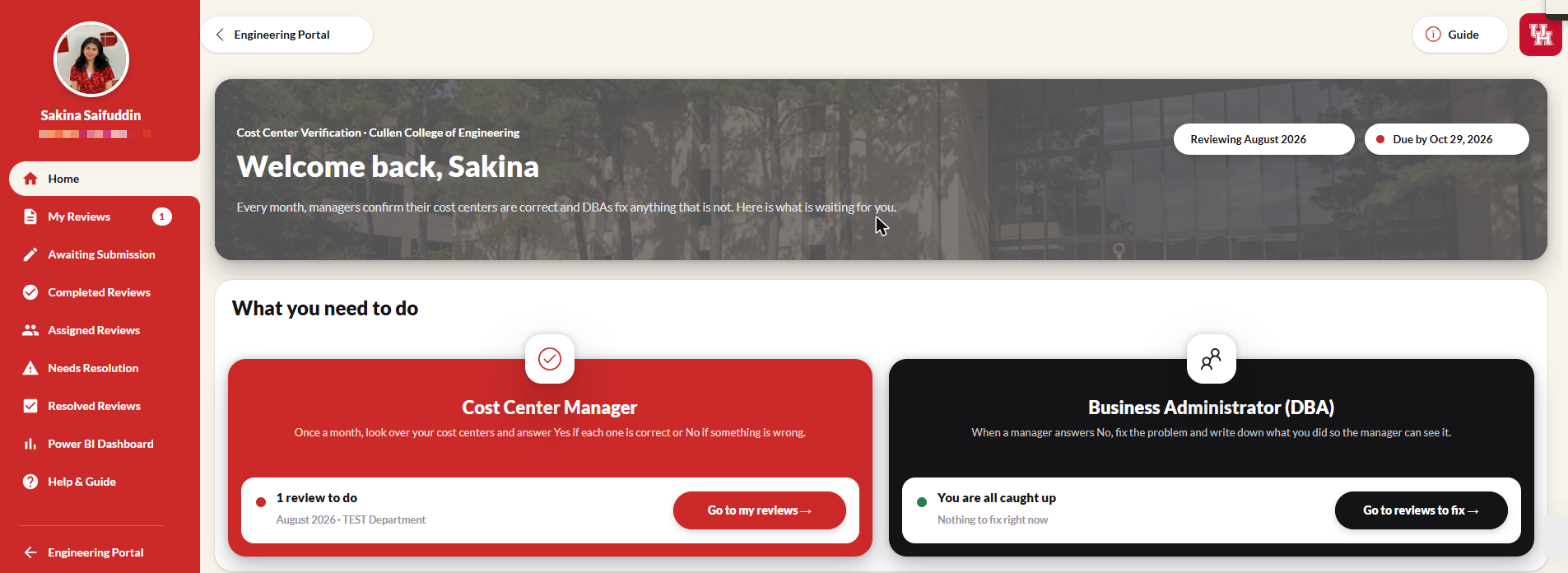
The home screen shows each person what they need to do this month: Cost Center Managers see reviews to answer and DBAs see items to fix. The reporting month and due date are shown up front, with the monthly reconciliation policy below. Shown with test data.
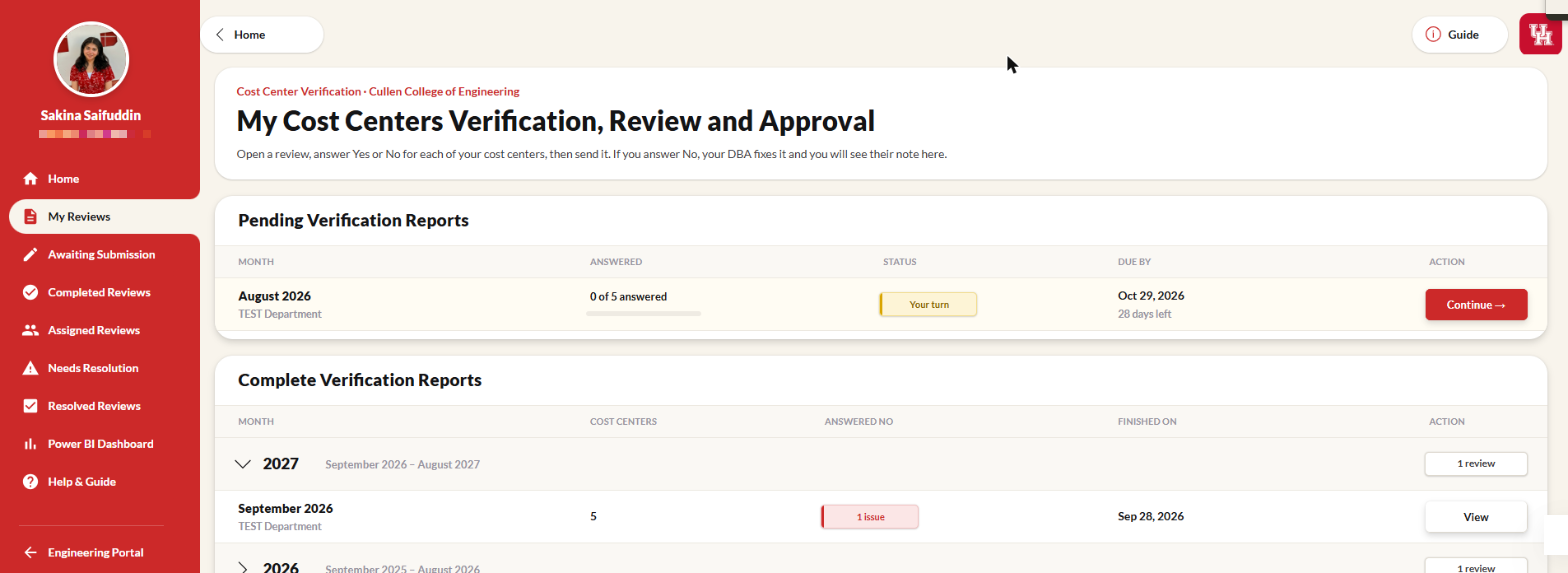
A manager's pending and completed monthly verifications, with progress, status badges, due dates, and completed reviews grouped by fiscal year. Shown with test data.
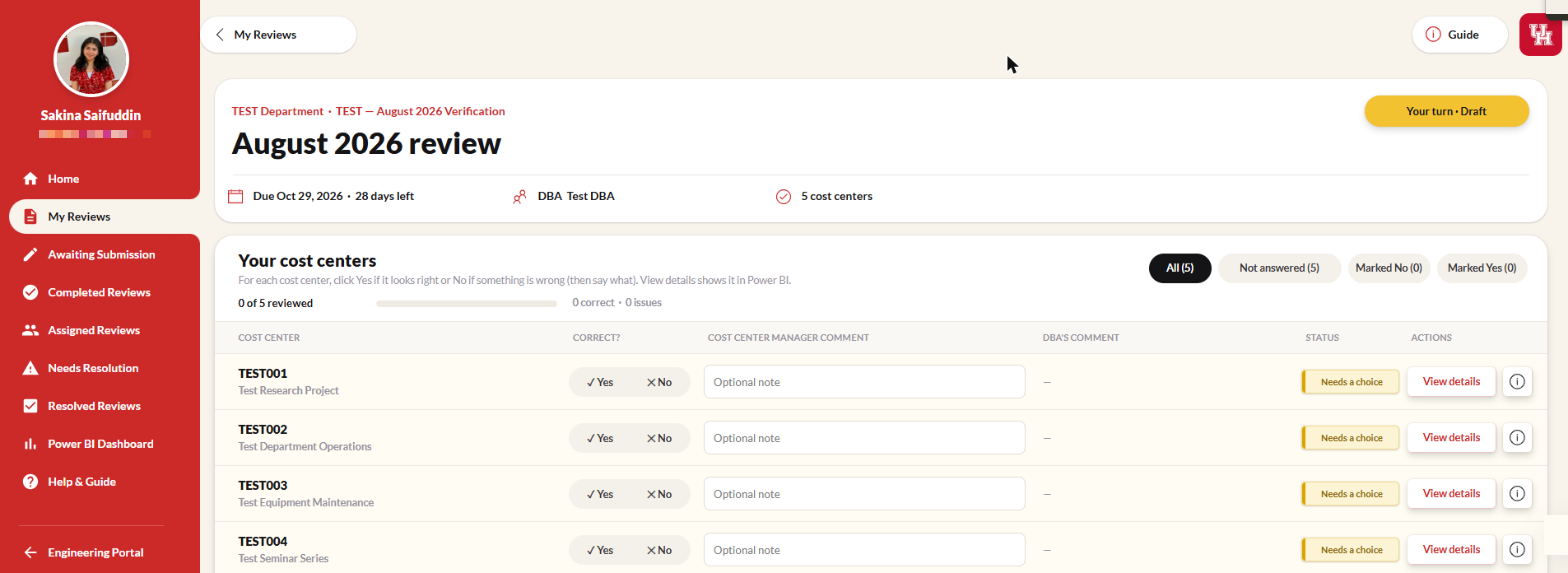
The manager answers Yes or No for every active cost center (a comment is required for No). Submit stays disabled until every cost center is answered, and all-Yes reviews complete immediately. Shown with test data.
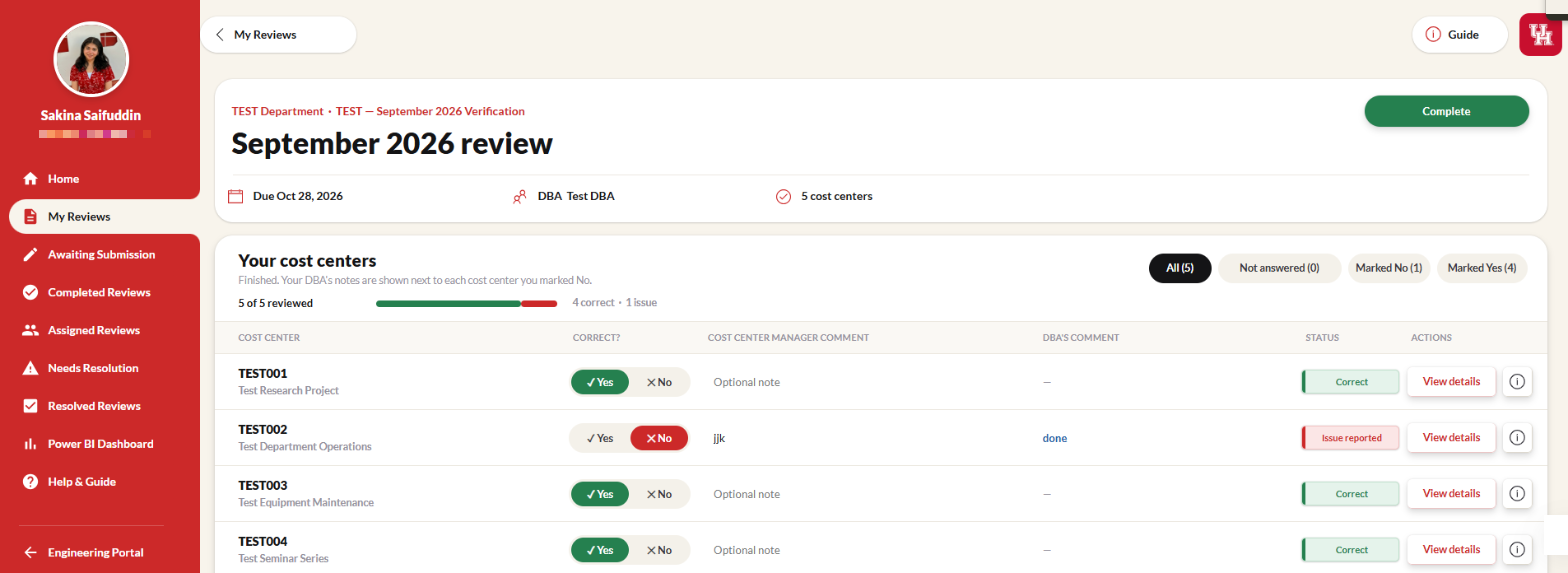
A finished review is read-only and shows the DBA's resolution next to each cost center the manager flagged. Shown with test data.
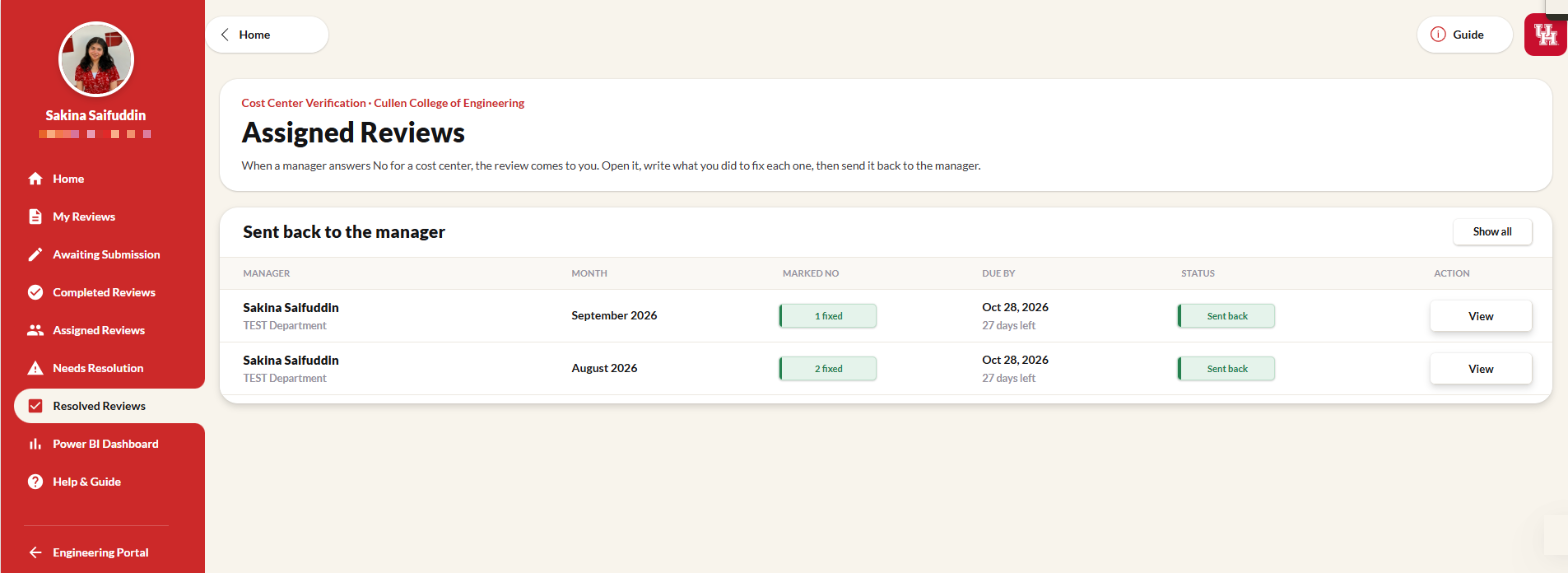
The DBA's list of reviews they have fixed and sent back to managers, with how many flagged cost centers were resolved. Shown with test data.
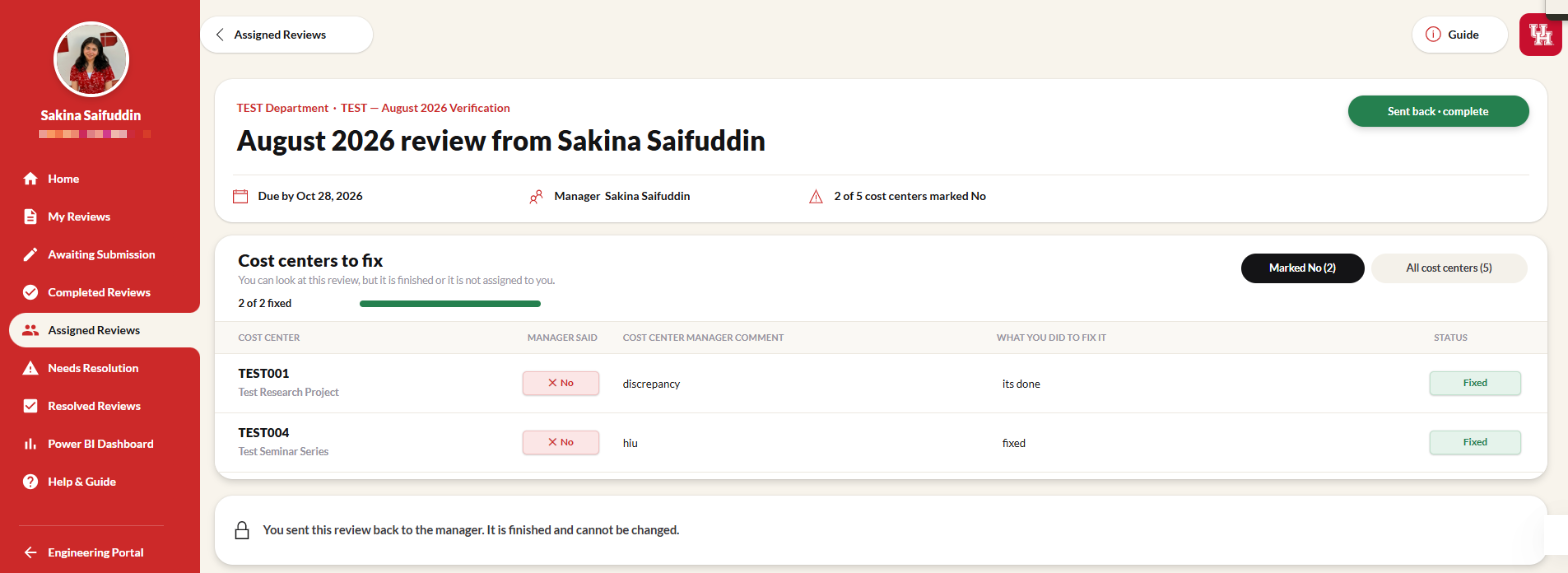
The DBA sees only the cost centers marked No, records what they did to fix each one, and sends the review back. It then locks as complete. Shown with test data.
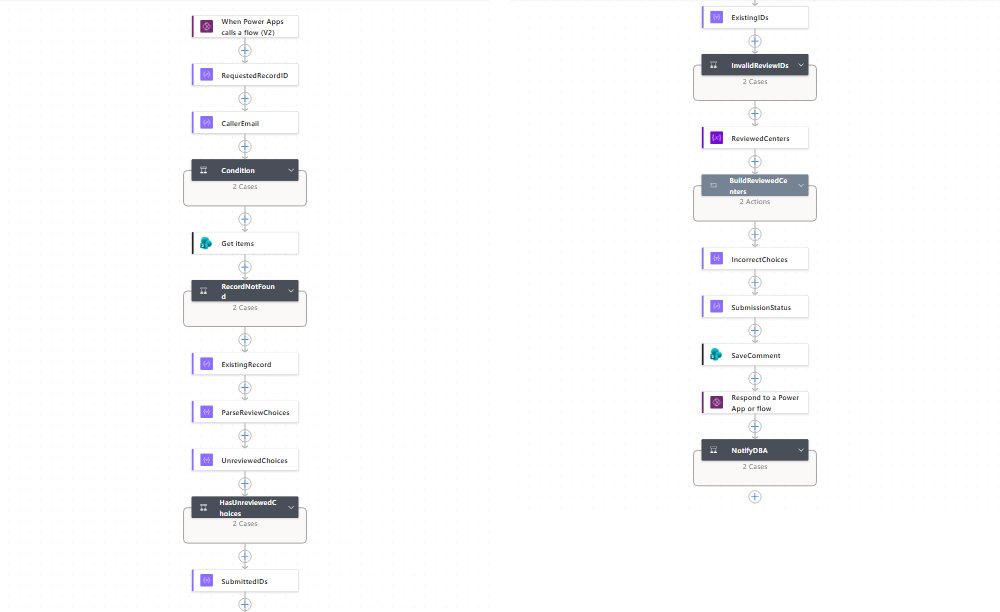
The CCV-SubmitReview flow, called from the app. It checks the caller is the review's manager, rejects unanswered or invalid cost centers, sets the status, saves, and notifies the DBA.
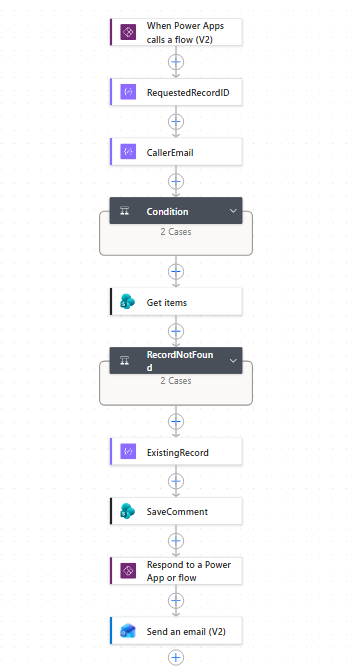
The CCV-DBAResolve flow. It checks the caller, saves the DBA's fix notes, replies to the app, and emails the manager.
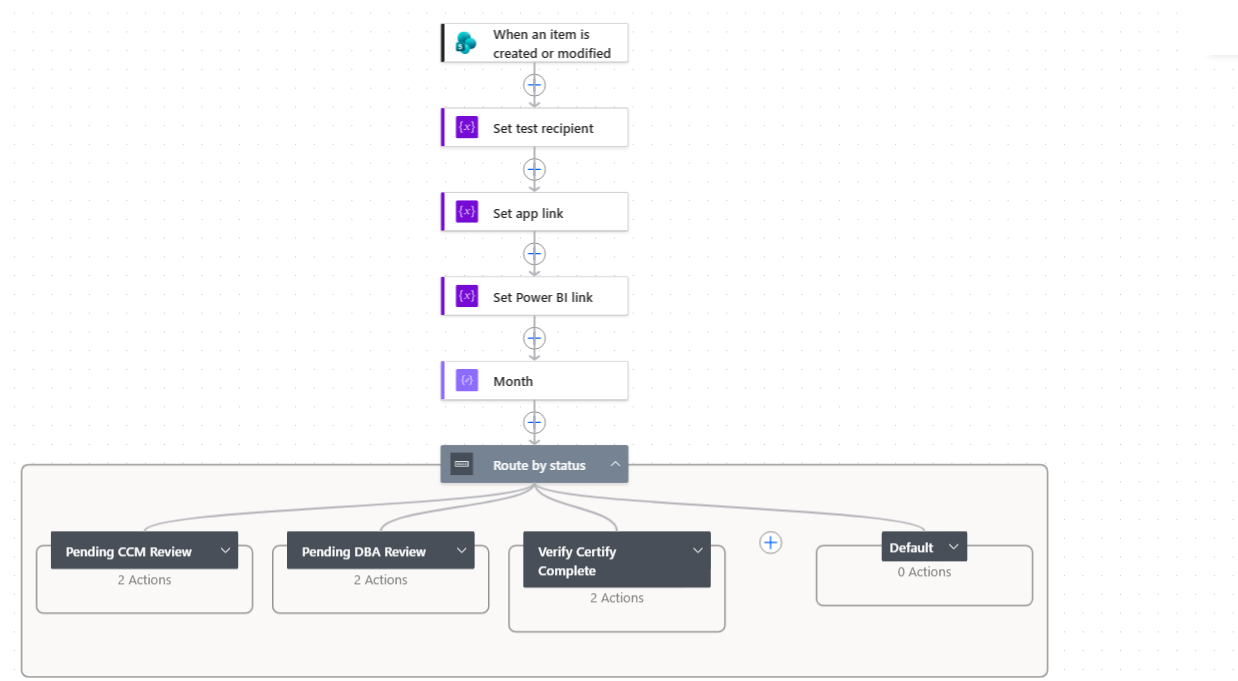
Runs whenever a review is created or changed, and routes by status: Pending CCM Review, Pending DBA Review, or Verify/Certify Complete. Each email links to the app and to Power BI.
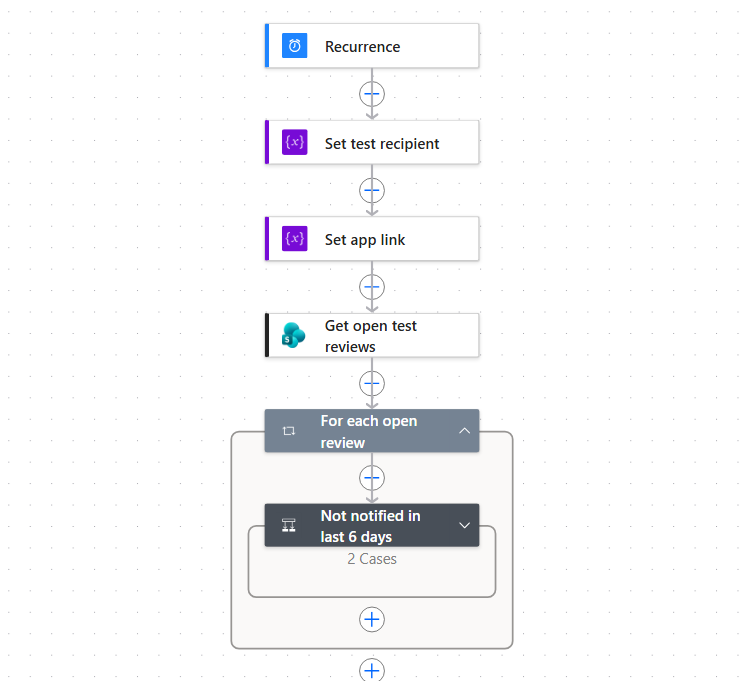
A scheduled flow that finds open reviews and reminds whoever's turn it is, skipping anyone notified in the last 6 days.
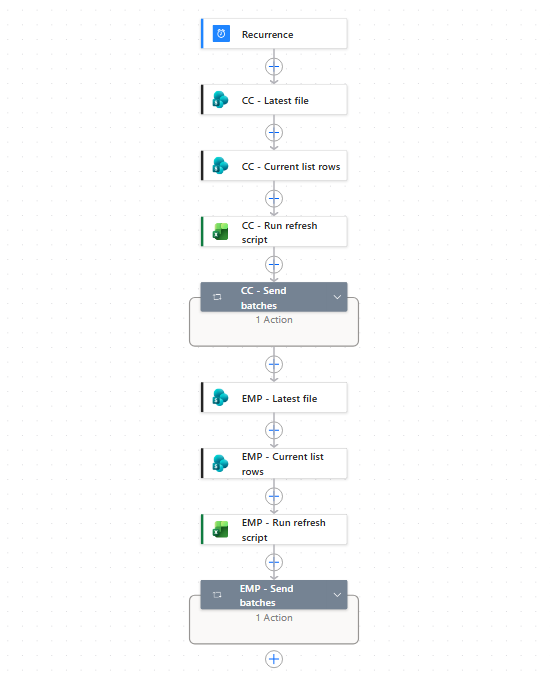
Each month, picks up the latest cost center (CC) and employee (EMP) files, runs an Excel refresh script on each, and writes the rows to SharePoint in batches.