MONTHLY COSTCENTER SIGN-OFFAPP
COST CENTERVERIFICATION
- Managers answer Yes or No for every cost center each month.
- Every No goes to the department's business administrator to fix.
- Five Power Automate flows send the emails and reminders.
2roles in one app
5automated flows
Visit the portfolio
website at:sakina-saifuddin / works
website at:sakina-saifuddin / works
Cost Center VerificationSakina Saifuddin
MONTHLY COSTCENTER SIGN-OFFAPP
- Task
- My work
- Results
- Outcome
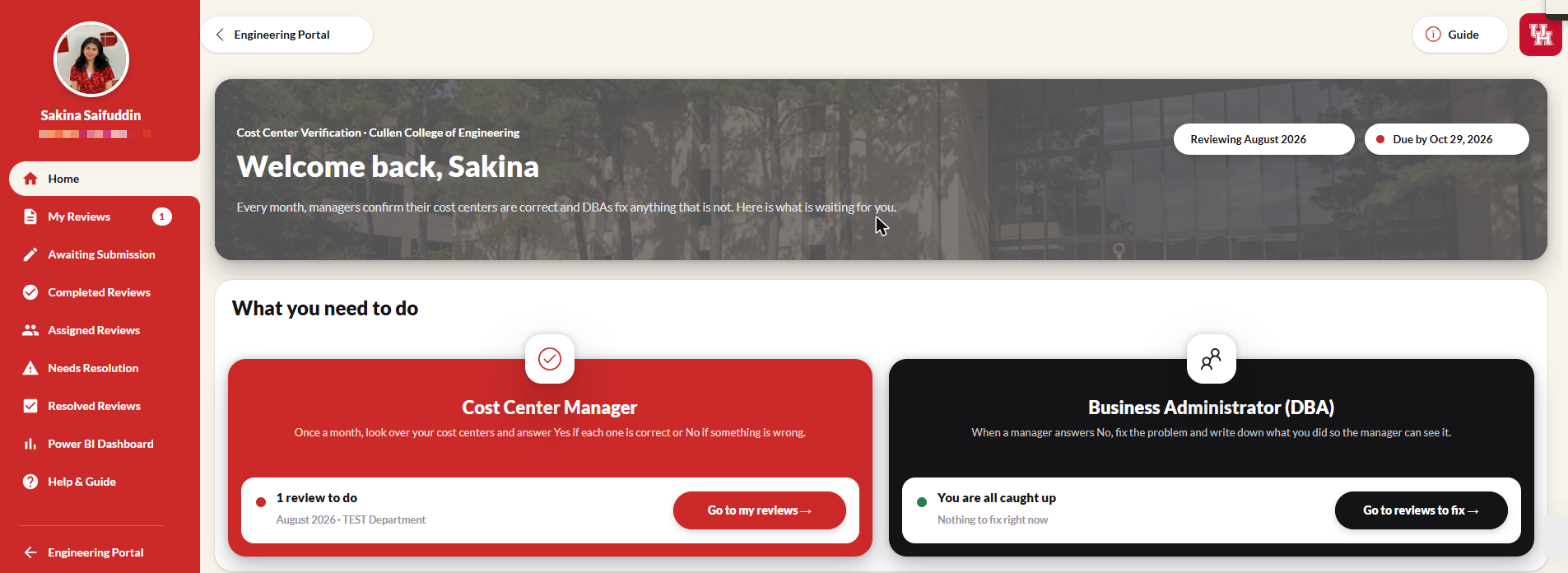
Monthly sign-off without email chains
- UH policy: every active cost center is verified every month.
- The DBA checks it; the manager approves it.
- It ran on reports, emails and follow-ups.
Every monthevery cost center must be signed off
2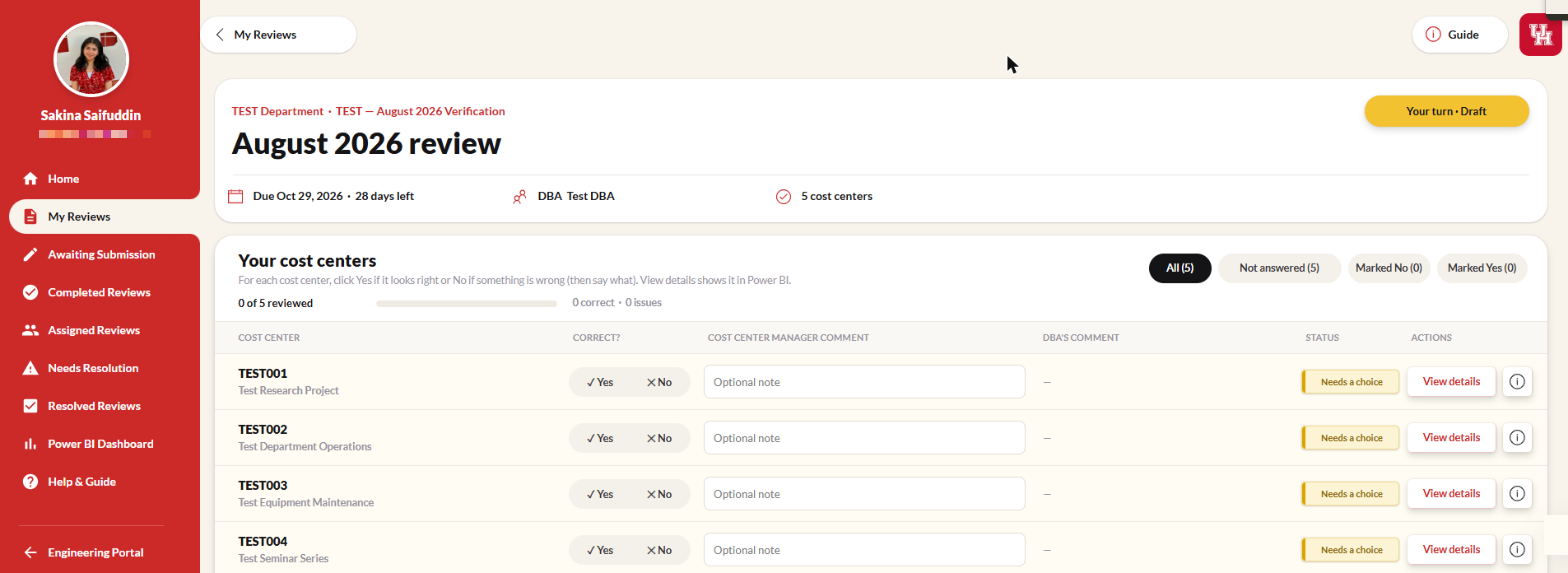
- Task
- My work
- Results
- Outcome
The manager review
- One review per manager, per month.
- A No needs a comment.
- Submit stays locked until every cost center is answered.
100%answered before Submit unlocks
Tools: Power Apps · Power Fx · SharePoint
4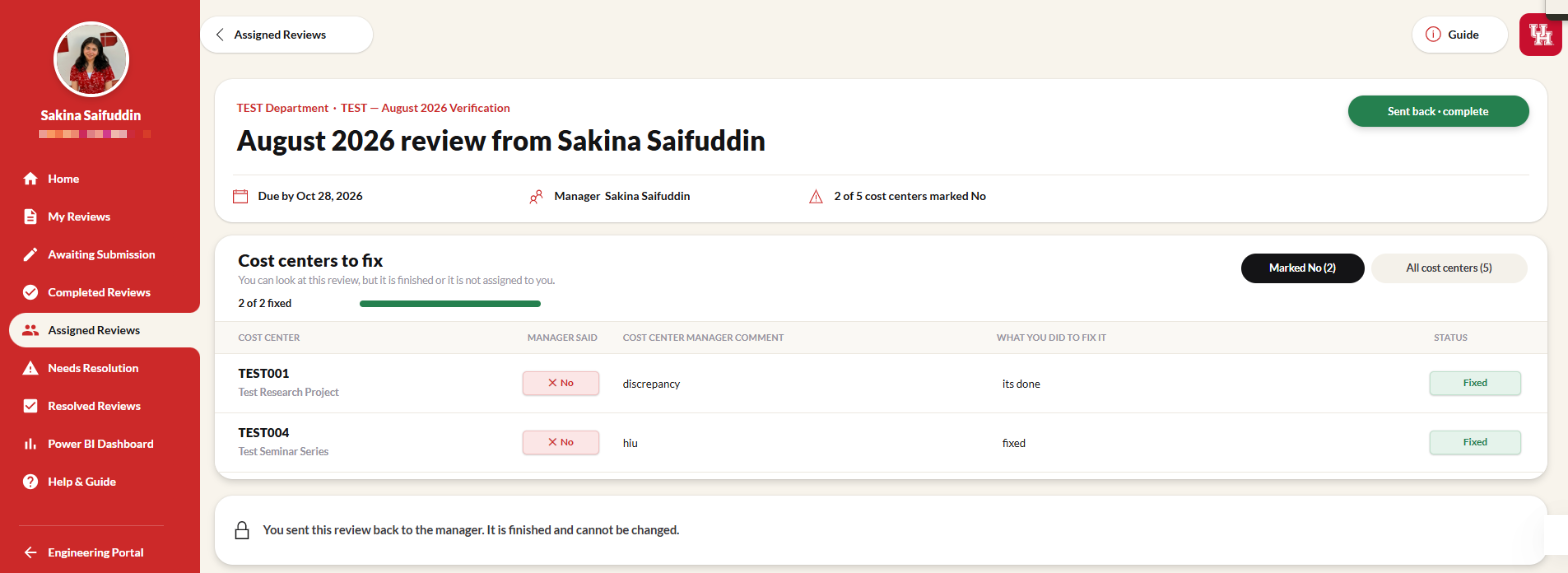
- Task
- My work
- Results
- Outcome
Issues go to the right DBA
- A department can have several DBAs.
- The DBA sees only the flagged cost centers.
- Resolve stays locked until each one has a fix note.
2 / 2flagged items fixed (test data)
6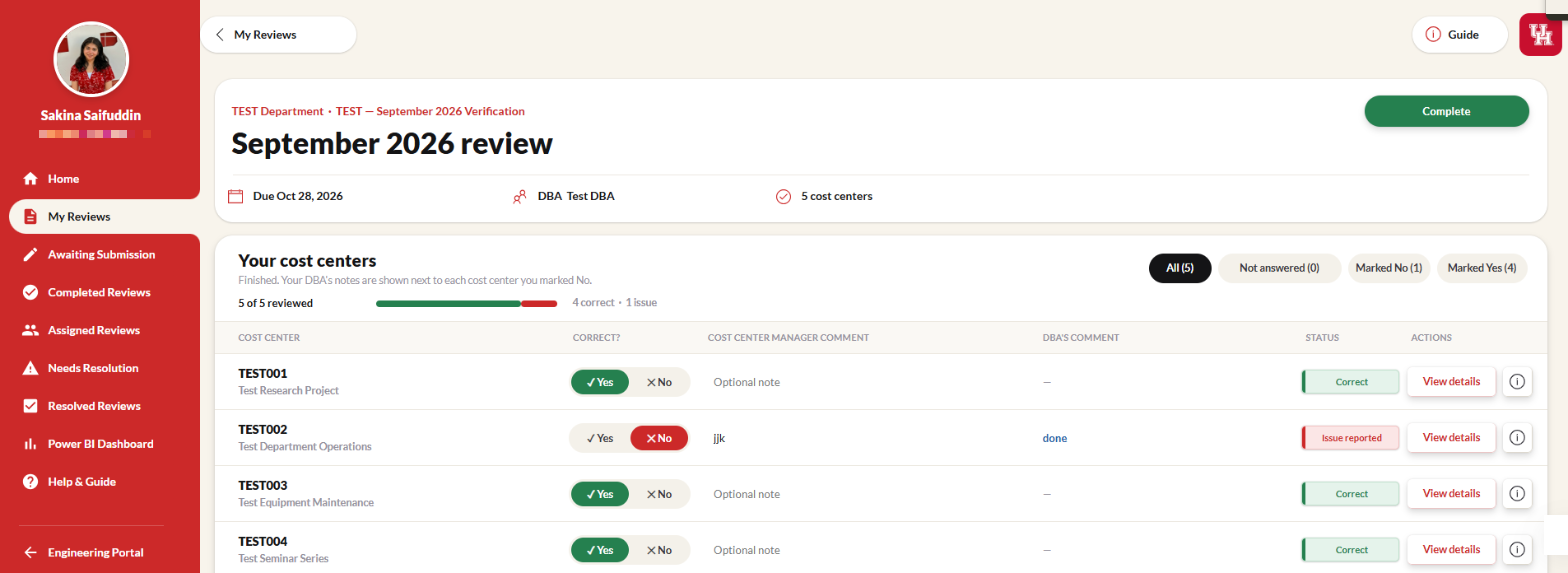
- Task
- My work
- Results
- Outcome
Rules built into the app
- All Yes? The review completes right away.
- After Submit or Resolve, the review is locked.
- Every screen has a guided tour.
4statuses, Initiated to Complete
8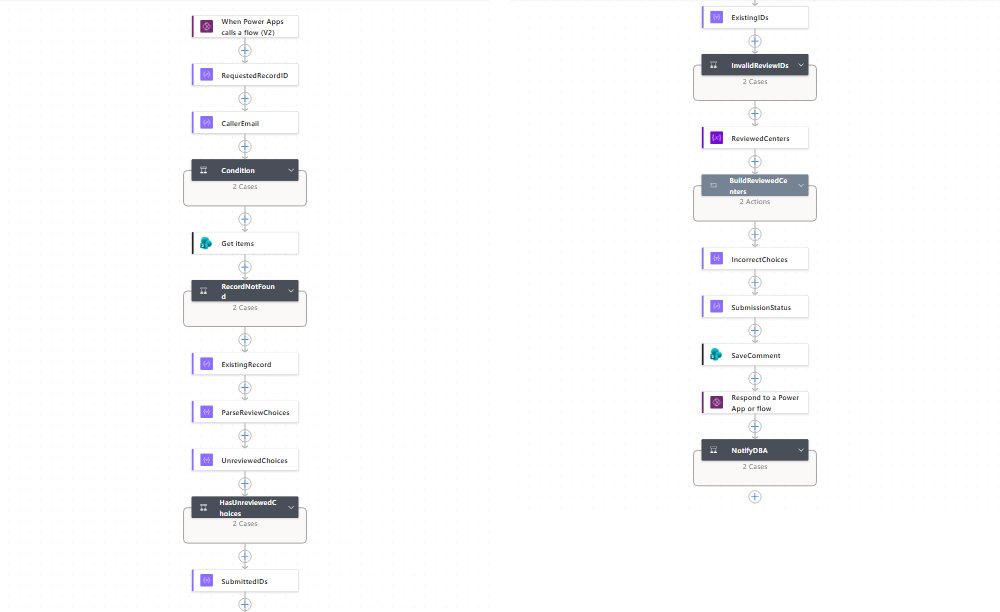
- Task
- My work
- Results
- Outcome
Submit is checked by a flow
- Confirms the caller is the review's manager.
- Rejects unanswered or invalid cost centers.
- Saves the review and alerts the DBA if needed.
20checks on every submit
Tools: Power Automate
10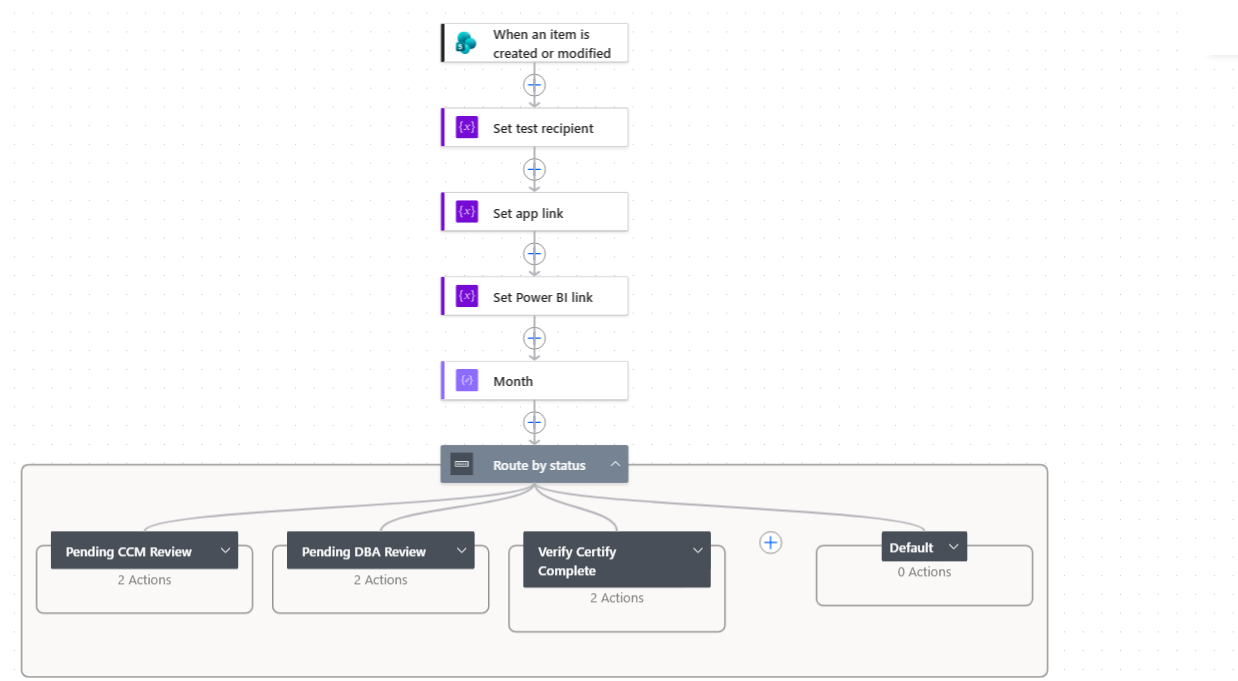
- Task
- My work
- Results
- Outcome
The right email at each step
- Manager: when the review opens.
- DBA: when issues are flagged.
- Manager: when the review is complete.
3email paths
Tools: Power Automate · Outlook
12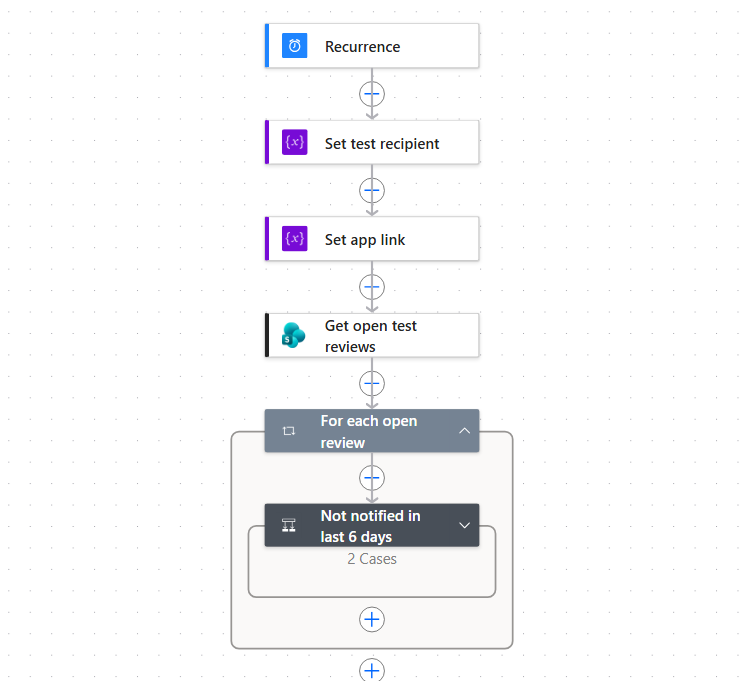
- Task
- My work
- Results
- Outcome
Reminders and fresh data
- Weekly reminders go to whoever's turn it is.
- Nobody is reminded twice within 6 days.
- Cost center and employee data refresh every month.
6 daysminimum gap between reminders
Tools: Power Automate · Excel scripts
14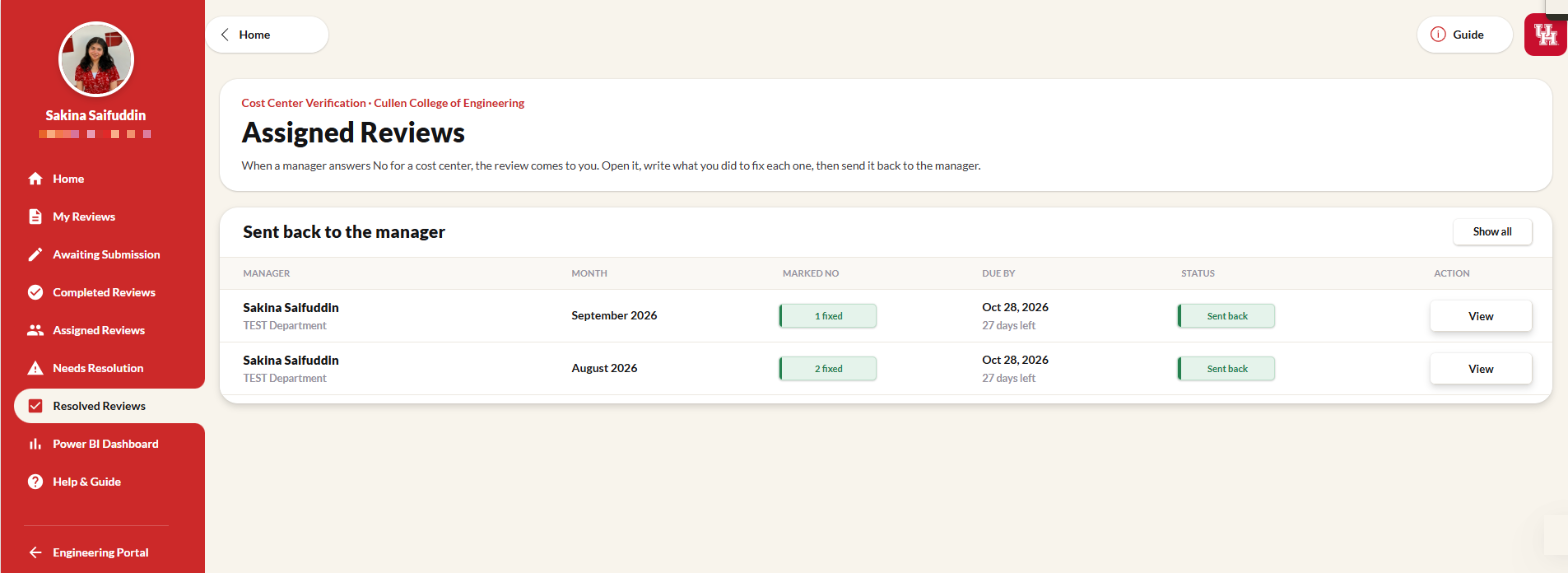
- Task
- My work
- Results
- Outcome
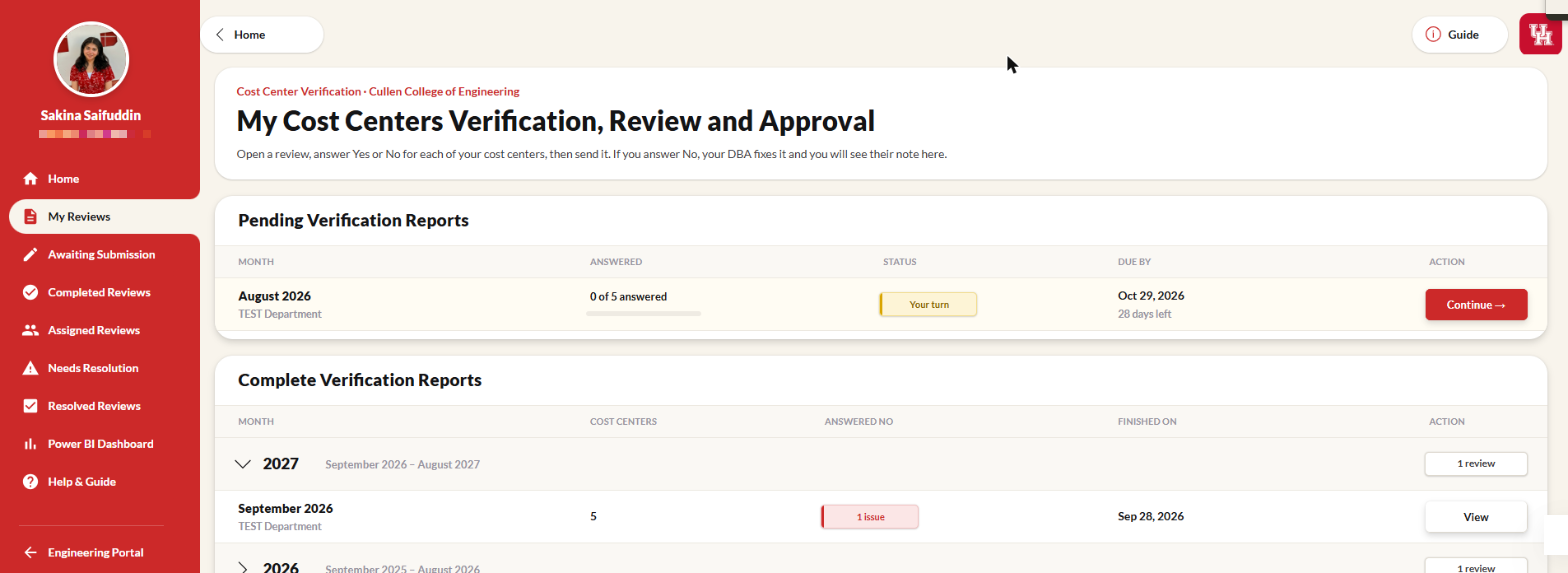
The full cycle works end to end
2roles: manager and DBA
4review statuses
5Power Automate flows
30days to finish a review
- Task
- My work
- Results
- Outcome
One place for the monthly sign-off
- Everyone sees who finished and what was fixed.
- Finished reviews are locked as an audit record.
- Next step: rollout to managers.
19Technologies
- Power Apps
- The app and every screen.
- Power Automate
- Checks, emails, reminders, refresh.
- SharePoint
- One review row per manager per month.
- Power BI
- Active cost centers and details.
- Turned the confirmed business rules into app logic.
- Designed the SharePoint data model and 4-status workflow.
- Built every screen, the guided tours and 5 Power Automate flows.
Screenshots use test records only.
20COST CENTERVERIFICATION
- Managers answer Yes or No for every cost center each month.
- Every No goes to the department's business administrator to fix.
- Five Power Automate flows send the emails and reminders.
2roles in one app
5automated flows
Visit the portfolio
website at:sakina-saifuddin / works
website at:sakina-saifuddin / works